
Inside the build
AI can draft the page. The hand-off is still yours.
I use a Composer-managed WordPress project, project-specific agent instructions and documented blocks. The agent drafts the page; I review it in WordPress before handover.
$ composer install
$ claude

In Claude Code, ask the agent to read AGENTS.md and the page-building skill,
use documented blocks for the brief, and save the draft as drafts/services.html.

# After Claude Code returns to the shell:
$ wp --path=public/wp post create --post_type=page --post_status=draft \
  --post_title="Services" \
  --post_content="$(cat drafts/services.html)"
An illustrative sequence, not a recorded build. Each project’s Composer setup and WordPress connection differ.
The sequence
A site repo gives the agent useful boundaries.
The goal is not to let a model improvise a whole website. It is to give it a real brief, known components and a reviewable WordPress draft.
01
Set up the project
Composer resolves the WordPress project dependencies declared by the site’s Bedrock setup. Project instructions explain the stack, design rules and what the agent must not change.
02
Give the agent a skill and a brief
Add a compatible page-building skill and the block documentation available to that project. The brief provides the audience, content, mockup and acceptance checks.
03
Compose an editable draft
The agent writes Gutenberg block content to a draft. ITC Block Library commercial access is in preparation; ITC Forms can add an enquiry form where the page needs one.
04
Review before publishing
I check the words, layout at mobile width, keyboard behavior, links and form delivery. AI gives me a draft to inspect; it does not approve the page.
The skill is the brief behind the brief
Good instructions make the output easier to trust.
A project skill captures repeatable decisions so they do not have to be rediscovered on every page. Here is the kind of guidance I give an agent:
# Page-building rules

- Read the project brief and block documentation first.
- Prefer documented Gutenberg blocks for page content. Use Custom HTML only for reviewed, self-contained elements that cannot be built with those blocks.
- Keep page copy and structure editable in WordPress.
- Do not invent client facts, prices or testimonials.
- Return the draft and list anything a human must verify.
The plugins
Useful tools with or without AI.
The agent is one way to compose a site. The plugins still do practical work when you build by hand in WordPress.
For page structure
ITC Block Library
Reusable Gutenberg sections give you a consistent starting point for page layouts. In connected agent workflows, the plugin exposes block contracts and markup validation. People can then refine the page in WordPress.
Commercial access in preparation
For enquiries and workflows
ITC Forms
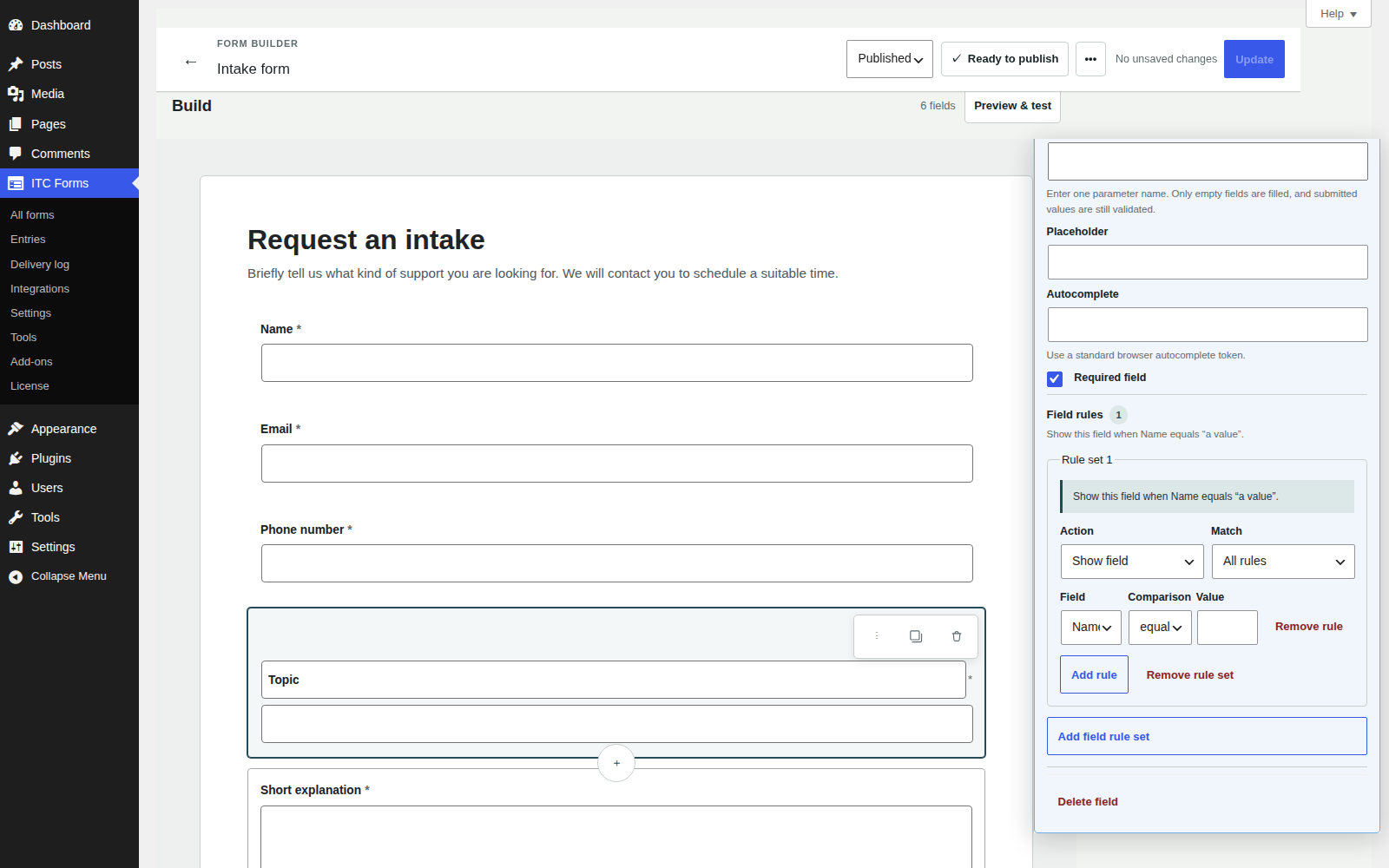
Build forms in WordPress, add conditional rules or multiple steps, and manage entries in the dashboard. Forms follow the site’s theme styles.
Build the parts you need
Start with ITC Forms. Add the building blocks when they are ready.
Explore the plugins and their planned individual licensing options.